
Microsoft Word
Microsoft Word is Microsoft's word processor and part of Microsoft 365. This page explains who it suits and how to get it on Windows.
289.2 MB
iLovePDF Desktop is the Windows app of the iLovePDF service: merge, split, compress, convert and edit PDF files on your PC without uploading them.
Average 0.0 · ratings: 0
Thank you! Your rating is saved; you can change it. Could not save the rating. Please try again later. Too many ratings from your network today. Please try again tomorrow. The average appears after 5 ratings.
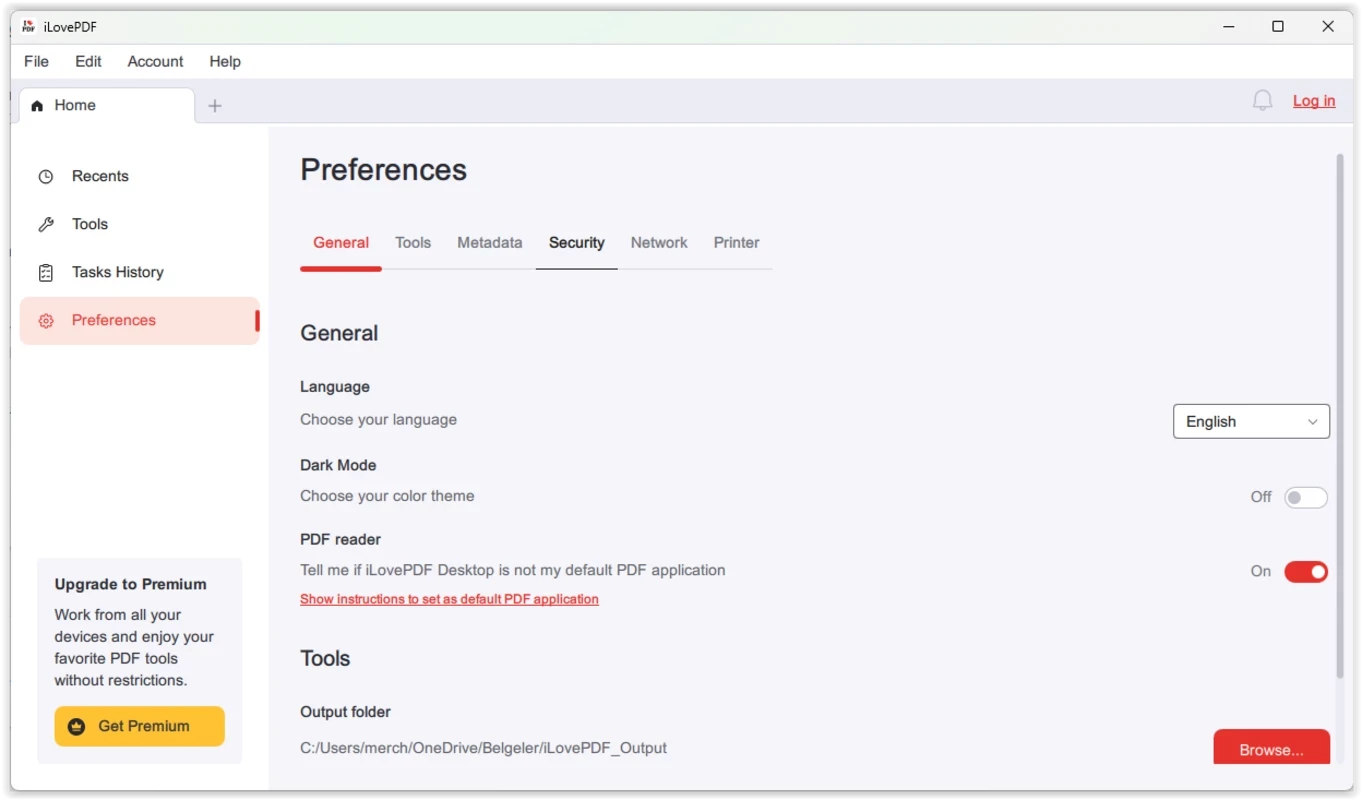
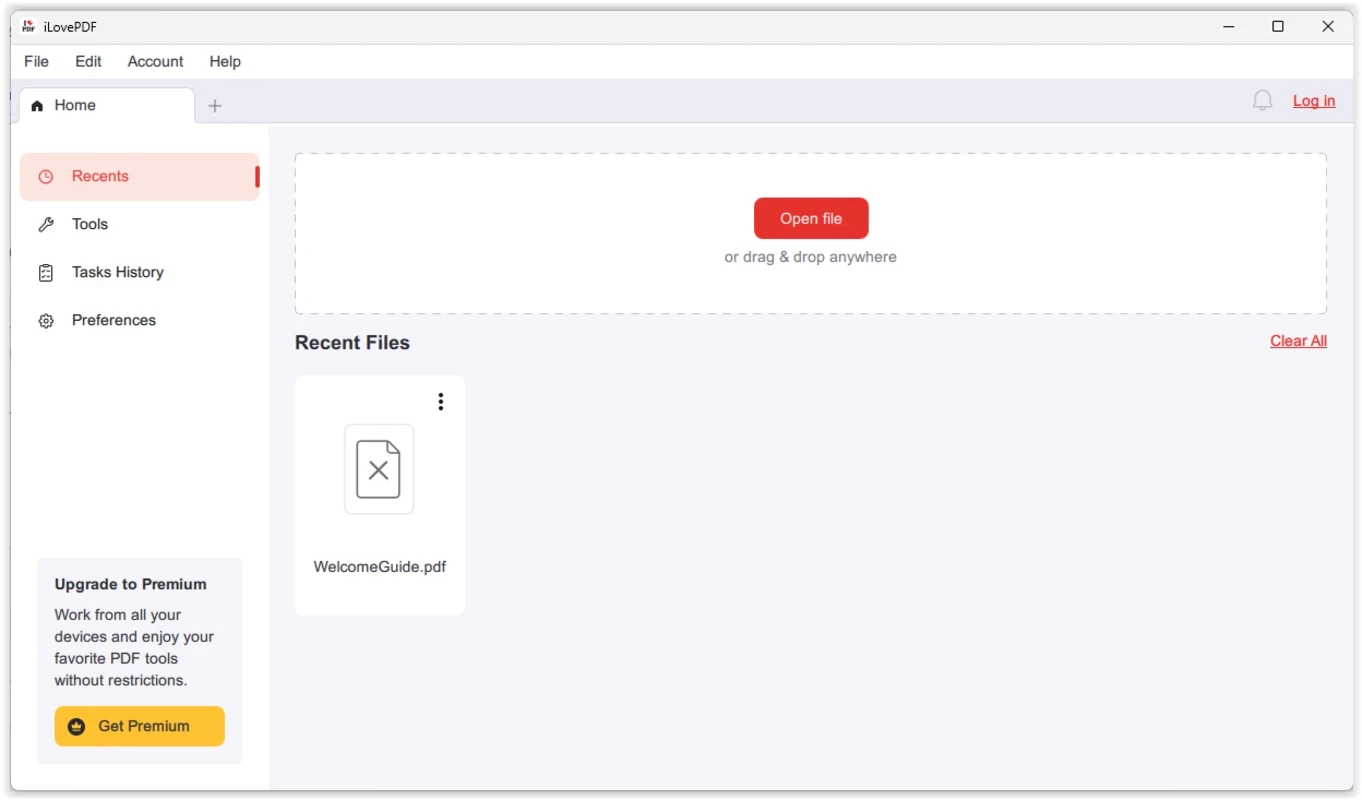
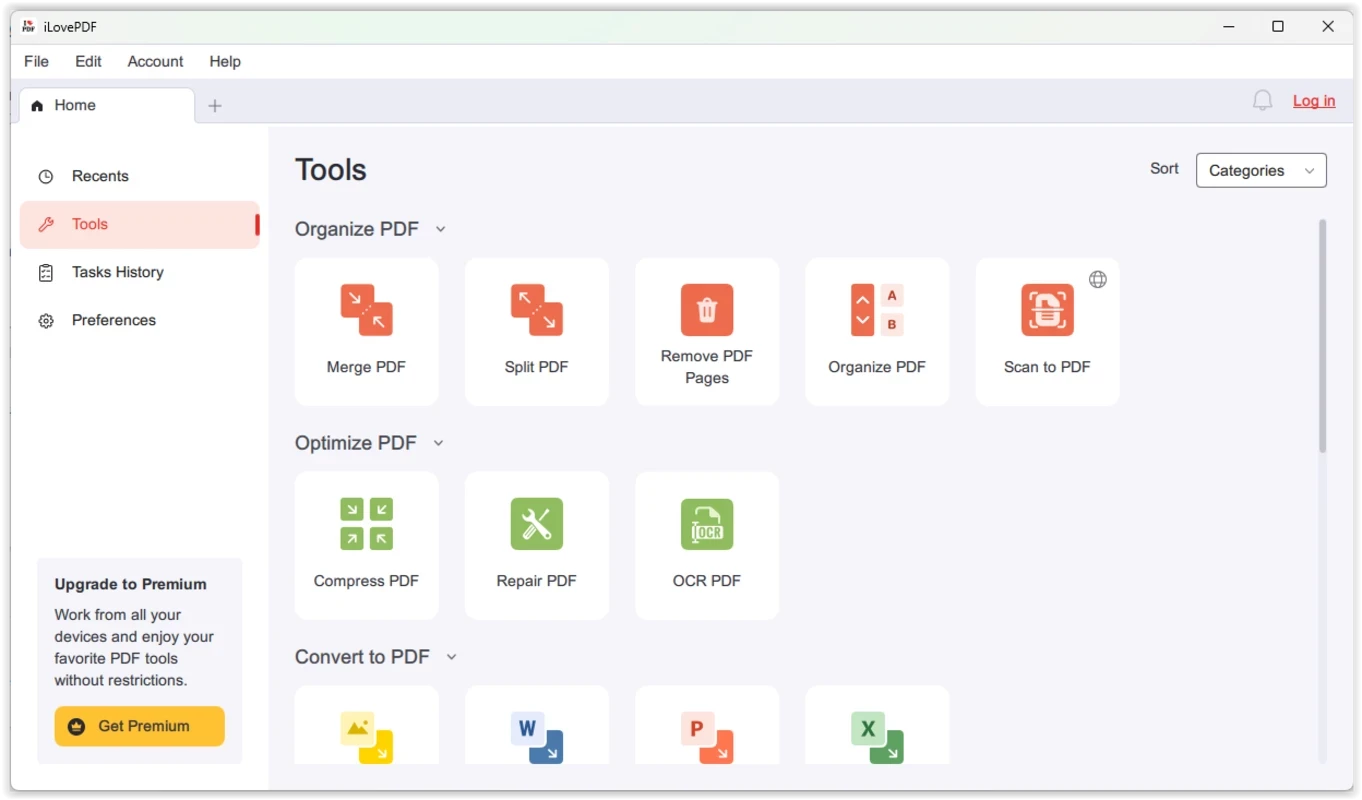
iLovePDF 2.2.8.0 is the desktop edition of the iLovePDF service for Windows, a toolkit for merging, splitting, compressing and converting PDF files directly on your computer. You download iLovePDF for Windows when you work with PDFs every day and prefer to keep documents on your own disk instead of sending them to a website.
iLovePDF started as a web service in 2010 and became a familiar name for quick PDF jobs in the browser. The Windows app takes the most requested tools from that site and runs them offline. The interface keeps the same idea as the web version: each task has its own tile, you drop files into it, adjust a couple of options and press a single button. There is no heavy editor with dozens of toolbars, so the program suits people who need to glue several scans into one document, cut out a few pages for a colleague or shrink an attachment before sending it by email. Because the processing happens locally, confidential contracts, invoices or medical papers never leave the machine, which is the main argument for installing the desktop app rather than using the browser tools. Files also do not need to be uploaded and downloaded again, so large documents are handled faster on a slow connection.
The licence is listed as Demo. The basic tools work without payment, while batch processing, some conversions and the removal of limits require an iLovePDF Premium subscription. The current prices are shown on the official website, so check them there before you rely on paid features.
The package weighs about 231.57 MB according to catalogue data. The list of changes between builds is published in the official changelog.
Offline work is the strongest point here: documents are processed on your PC. Still, download the installer only from ilovepdf.com, keep Windows updated and be careful with PDFs from unknown senders, since a document can carry malicious links regardless of the tool you open it with.
Yes, iLovePDF also has an Android app on Google Play, so you can continue simple tasks on a phone.
On our site you can also find PDF Candy Desktop and PDFCreator for converting and assembling documents, Wondershare PDFelement for deeper editing, and Adobe PDF Reader for reading and annotating files.
Microsoft Word is Microsoft's word processor and part of Microsoft 365. This page explains who it suits and how to get it on Windows.

Microsoft Office 2010 is an office suite for Windows released in 2010; Microsoft ended its support on 13 October 2020 and recommends Microsoft 365.

Microsoft Office 2019 is a one-time purchase edition of Microsoft's office suite for Windows 10 and macOS, released in September 2018.

Adobe Reader XI (11) is an older version of Adobe's free PDF viewer for Windows; its support ended in October 2017 and Adobe Acrobat Reader is the successor.

Adobe Acrobat Reader is Adobe's free Windows application for opening, reading, printing and commenting on PDF documents.

Microsoft Office 2013 is an office suite for Windows released in 2013; support ended on 11 April 2023 and Microsoft recommends Microsoft 365.

Microsoft Excel is Microsoft's spreadsheet program for calculations, tables and data analysis. Build 16.0.19725.20152 is a current Windows release.

Microsoft Office 2007 is a Windows office suite released in 2007; its support ended on 10 October 2017, and Microsoft recommends Microsoft 365.